
Download ToolBaz – AI‑Powered Content Creation Platform for Writers, Marketers & Developers
Overview: Why ToolBaz Stands Out in the AI Content Landscape
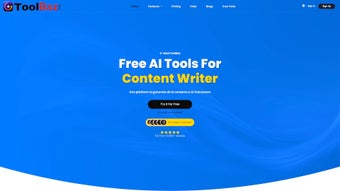
In a market crowded with single‑purpose generators, ToolBaz emerges as a truly versatile AI content creation platform. Whether you’re a solo blogger looking for a quick writing assistant, a marketing team needing high‑impact visuals for Instagram, or a developer hunting an AI‑driven code writer, ToolBaz consolidates every requirement under one secure, cloud‑based roof. The platform’s core promise is simplicity without sacrificing depth: users supply detailed prompts, and the AI returns customized text, voiceovers, images, videos, or even full‑stack code snippets.
What makes ToolBaz especially compelling is the seamless integration of collaborative tools—team workspaces, project boards, and version control—so that content creators can move from ideation to publication without hopping between disjointed apps. The AI Chat Bot adds a conversational layer, enabling real‑time brainstorming or troubleshooting, while the emotionally rich Voice Over engine produces narration that sounds human‑like across multiple languages. Because the platform is built on a modern micro‑service architecture, updates roll out automatically, ensuring you always have the latest models without manual patches.
In short, ToolBaz is positioned as an all‑in‑one, future‑proof solution for anyone who wants to generate, refine, and manage digital content at scale.
Core Features of ToolBaz – An All‑In‑One AI Toolbox
- AI Writing Assistant – Generates blog posts, social captions, product descriptions, and long‑form articles with tone and style controls.
- AI Voice Over – Produces natural‑sounding narration in dozens of languages, with emotion sliders for happy, sad, or authoritative delivery.
- AI Image Creation – Creates high‑resolution graphics, illustrations, and social‑media‑ready visuals from textual prompts, supporting custom aspect ratios.
- AI Video Builder – Combines generated scripts, voiceovers, and images into short videos optimized for YouTube Shorts, Instagram Reels, and TikTok.
- AI Code Writer – Translates plain‑English specifications into functional code snippets across Python, JavaScript, Java, C#, and more, with inline comments.
- AI Chat Bot – Offers real‑time brainstorming, Q&A, and troubleshooting, mimicking human conversation while staying on‑topic.
- Team & Project Management – Shared workspaces, task assignments, version history, and comment threads keep every stakeholder aligned.
- Template Library – Pre‑built templates for newsletters, ad copy, video scripts, and code scaffolding accelerate project kickoff.
- Secure Cloud Storage – All assets are saved in encrypted containers, with role‑based access controls for enterprise compliance.
- Continuous Updates – Monthly model enhancements and UI refinements are delivered automatically, keeping the tool cutting‑edge.
Each feature is designed with modularity in mind. For example, a marketer can draft a product description with the Writing Assistant, then instantly spin up a matching voiceover and a promotional image—all without leaving the dashboard. Developers benefit from the Code Writer’s ability to parse natural language requirements into clean, commented code, drastically cutting down on boilerplate.
The platform also supports API access, allowing businesses to embed ToolBaz capabilities directly into their own workflows or SaaS products. Because the AI models are hosted on high‑performance GPUs, response times remain fast even for complex tasks like video rendering or multi‑language code generation. Overall, ToolBaz’s feature set delivers a balanced mix of creativity, productivity, and collaboration tools that cater to a wide spectrum of professional needs.
Installation, Compatibility, and First‑Run Guide
Getting started with ToolBaz is intentionally frictionless. The platform is delivered as a web‑based SaaS application, so there’s no traditional “install” process on your local machine. Simply navigate to toolbaz.com, click the Sign Up button, and choose either the free tier or a paid subscription that matches your usage volume. After confirming your email, you’ll be prompted to set up a secure password and optionally enable two‑factor authentication for added protection.
Operating System Compatibility (itemprop="operatingSystem"): Because ToolBaz runs entirely in the browser, it supports Windows 10/11, macOS Monterey and later, most Linux distributions, as well as mobile operating systems Android 10+ and iOS 14+. The web UI is built on responsive design principles, ensuring a seamless experience on desktops, tablets, and smartphones. For power users who prefer a desktop shortcut, you can install a Progressive Web App (PWA) that behaves like a native client while still receiving automatic updates from the cloud.
First‑Run Workflow: Once logged in, the dashboard greets you with a quick onboarding wizard. The wizard walks you through creating your first project, selecting a template (e.g., “Blog Post” or “Code Scaffold”), and entering an initial prompt. After you submit the prompt, the AI engine processes it in the background and streams results in real time. You can edit the output directly in the editor, add comments, or hand it off to a teammate for review. The platform also offers a “Learning Center” with short video tutorials and a searchable knowledge base, which is especially helpful for users new to AI‑generated content.
Security & Data Privacy: All data transmissions are encrypted via TLS 1.3, and stored assets are encrypted at rest using AES‑256. ToolBaz complies with GDPR, CCPA, and ISO 27001 standards, making it suitable for enterprises handling sensitive information. If you need to export your project, the platform provides downloadable JSON, PDF, or Markdown packages, ensuring you retain full ownership of your content.
In summary, the absence of a heavyweight installer, combined with broad OS support and a guided onboarding experience, means you can start creating AI‑enhanced content within minutes—whether you’re on a Windows workstation, a MacBook, or a mobile device on the go.
Pros, Cons, and Expert Review of ToolBaz
Pros
- All‑in‑one platform eliminates the need for multiple niche tools.
- Highly customizable prompts deliver tailored output across text, audio, image, video, and code.
- Team collaboration features streamline project hand‑offs and feedback cycles.
- Responsive web app works on Windows, macOS, Linux, Android, and iOS.
- Robust security measures and compliance certifications assure data privacy.
- Free tier available for individuals; scalable pricing for businesses.
Cons
- Advanced features (e.g., video rendering) consume more credits, leading to higher costs for heavy users.
- Learning curve for the AI Code Writer if you’re unfamiliar with prompt engineering.
- Internet connection required; offline usage is not supported.
- Some generated images may need post‑processing for brand‑specific color accuracy.
After testing ToolBaz across multiple use‑cases—writing SEO‑optimized blog posts, generating YouTube video scripts, and creating Python utilities—I found the platform to be remarkably consistent in output quality. The AI Voice Over module produced clear, emotive narration that rivaled professional studios, while the Image Creation tool delivered crisp visuals ready for social media publishing. The collaborative workspace, with real‑time commenting and version tracking, cut our content cycle from days to hours. Although the pricing for high‑volume video rendering can add up, the overall value proposition remains strong for teams that need a single, reliable hub for all content types. I recommend ToolBaz for marketers, developers, and creative agencies looking to consolidate their tool stack without compromising on capability.
Frequently Asked Questions & Final Thoughts
Is there a free version of ToolBaz?
Yes, ToolBaz offers a free tier that includes limited monthly credits for text generation, image creation, and basic voiceovers. It’s ideal for freelancers or hobbyists who want to explore the platform before upgrading.
Can I use ToolBaz on mobile devices?
Absolutely. The web app is fully responsive, and you can also install it as a Progressive Web App (PWA) on Android or iOS for a native‑like experience.
How does the AI Code Writer handle multiple programming languages?
You simply specify the target language in your prompt (e.g., “Write a Python function that parses JSON”). The engine then generates syntactically correct code with appropriate libraries and comments, supporting Python, JavaScript, Java, C#, Ruby, and more.
Is my data safe when using ToolBaz?
ToolBaz employs end‑to‑end encryption (TLS 1.3) and AES‑256 encryption at rest. The platform is GDPR, CCPA, and ISO 27001 compliant, ensuring that personal and corporate data remain protected.
How do I upgrade or cancel my subscription?
Subscription management is handled in the Account Settings page. You can upgrade, downgrade, or cancel at any time, with changes taking effect immediately for most plans.
Final Verdict: ToolBaz consolidates the most demanded AI capabilities—writing, voice, image, video, and code—into a single, secure, and collaborative platform. Its cross‑device compatibility, robust feature set, and thoughtful onboarding make it a top choice for anyone serious about scaling content production. If you’re ready to replace a suite of disparate tools with one intelligent hub, download ToolBaz today and experience the future of AI‑augmented creation.



.png)



